Harshveen’s Product Playbook

Built a Figma plugin to automate design system compliance audit time from 6 hours to 3 minutes.
Operational Efficiency at IMPACT Boston · Resulting in faster design system audit time (△~95%)
In this Project
Brief
Figma silently drops the style link.
Every design team working at scale has a version of this problem. You have a design system, carefully built, well documented, with shared text styles, color tokens, component libraries. And then reality happens.
Designers, engineers, managers, BA, QA etc working on the file paste text from old files. They duplicate frames. They import from Figma community resources. They work fast under deadline. And every time they do, Figma silently drops the style link keeping the raw font properties but disturbing the frame’s connection to the design system.
A systems problem, not a design problem.
"I spent four hours on a Tuesday doing what I thought was a quick pre-handoff check. Clicking through 51 text nodes, one by one, checking if each had a style applied. That's the moment I realized this was a systems problem, not a design problem."
The damage this causes is not visible in a screenshot. It lives in the cracks between design and engineering, in the inconsistencies that slow down dev handoff, in the style updates that don't propagate, in the QA cycles that catch the same issues sprint after sprint.
What I did
I identified a class of invisible, systemic product design workflow challenge and automated it. Previously, a UX lead would manually audit design files to ensure compliance with the design system, verifying that every text style, component, and spacing value used within a designed frame was sourced directly from the system.This process is straightforward and takes only a few minutes when auditing a small number of frames. However, at AFH, as the UX Lead, auditing 10 frames alongside their responsive counterparts quickly turned time-intensive, leaving me spending more of my working hours on compliance checks than on producing quality work. To reclaim that time, I built a Figma plugin that automates the audit entirely.
Why this problem matters
The bigger the team, the worse it gets.
Google, Apple, Meta, and every product company running a design system at scale faces exactly this problem. The bigger the team, the worse it gets. Design ops teams are hired specifically to solve this — but most solutions are either expensive tooling subscriptions or manual process documentation. This is neither.
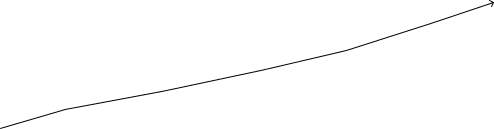
team size

5 Designers10 hrs lost
50 Designers100 hrs lost
time spent


The larger the design team size, the more Figma files, the more unlinked nodes, the more time spent to manual QA. 1 designer loses 2 hours a week. 50 designers lose 100. Someone either builds the fix or becomes the fix.
How ISolved it
Getting there required hitting a wall first
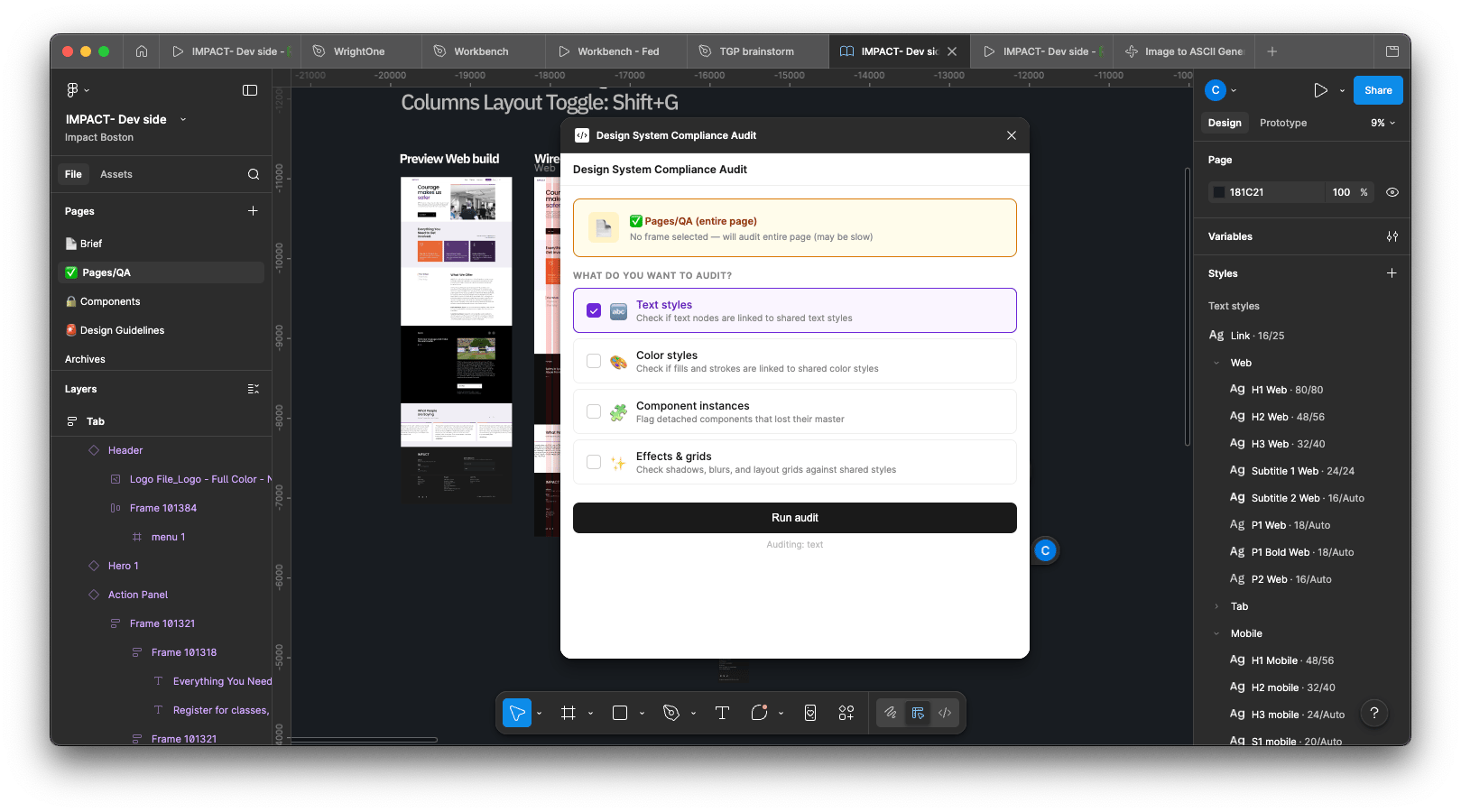
The solution is a Figma plugin I built, that does two things: audits every text node in a selected frame for style compliance, and fixes every unlinked node with one click. Select a frame. Run the plugin. Done.
But getting there required hitting a wall first and that wall is what makes the engineering interesting.
The obvious approach that didn't work


Python Script

PUT request

Figma REST API
api.figma.com


200 OKSuccess response
apply change?
✕

READ-ONLY WALL

Figma fileNothing changed
The first instinct was to read the Figma file externally via Figma’s REST API, find the unlinked nodes, and automate writing the correct style IDs back. The API accepted the requests and returned 200 success codes. But, nothing changed in Figma.After extended debugging, the finding: Figma's REST API is read-only for node properties. Writing “textStyleId” to a node from outside Figma is simply not supported and this is not clearly documented anywhere.
The obvious approach that didn't work


Plugin runsinside Figma
direct call
Figma Plugin API
full read + write
Text nodetextStyleId updated
apply change?

Figma updatedlive, instantly
The only environment where Figma grants full read/write access to node properties is the Figma Plugin API code that runs inside Figma itself. So I built the plugin with the help of Claude.
Three files (manifest, code.js, ui.html), installed locally in my Figma desktop app, with full access to read every node and write any property directly.
Another roadblock
And then, it it clicked.
For the initial few tries, all I received back as a response was exact nodes but no text styles linked in the Figma file. The design system was set. Text-styles updated. Correct frame selected, but still null value returns. The plugin wasn’t picking up the text-styles. And then, it it clicked.
Figma stores text style links in two different fields depending on how the style was applied. Checking only one gives false positives correctly linked nodes flagged as raw. The fix requires checking both i.e textStyleId & styles.text
textStyleId: Style applied directly via the panel
styles.text: Style comes from a component or shared library
What the plugin does
It audits selected frames to match everything in your design system.
- Confirms your selection: Shows a live card with the selected frame name before anything runs. No blind scanning.
- You choose what to audit: Checkboxes for text styles, color styles, component instances, effects & grids. Only runs what you ask for.
- Compliance score: Generates a 0–100% score with a breakdown per pillar so you know exactly where the issues are concentrated.
- Auto-fix for exact matches: Any unlinked node whose font fingerprint (family + size + weight) exactly matches a shared style gets auto-applied in one click.
- Manual pick for the rest: A searchable dropdown of your real shared styles (H1 Web, P1 Web etc.) for anything that needs a judgment call.
- Focus button on every row: Click any node in the results list and Figma jumps its viewport directly to that element.
Extending Capabilities
All 4 pillars of design system compliance, not just text styles.
The same audit architecture was extended to cover all 4 pillars of design system compliance, not just text styles.
- Text styles: every TEXT node linked via textStyleId
- Color styles: every fill and stroke linked via fillStyleId / strokeStyleId
- Component instances: every instance linked to a master, no detached frames
- Effect & grid styles: shadows, blurs, and layout grids linked to shared styles
Extending Capabilities
The numbers don’t lie
The compounding effect matters more than the one-time number. The plugin runs in under a minute on any frame, any time. That means it becomes part of every design review, every sprint, every file update — not just the big pre-handoff scramble. The hidden tax of manual QA is eliminated permanently, not reduced.

Before
After
Delta
3+ hours per file audit
15 -20% miss rate(human)
51 unlinked nodes in a page
3 mins
0% miss rate
0 unlinked nodes
98% Reduction
100% Reduction
51 → 0
The Bigger Industry Pattern
This pattern applies across the entire design-to-engineering pipeline.
The text style audit is the surface. The deeper thing is the pattern and this pattern applies across the entire design-to-engineering pipeline.
The Pattern
Identify a manual, repetitive, error-prone task → understand its data model → find the API surface → automate the check-fix cycle.
Color tokens: Check fillStyleId against design token library. Auto-match by hex value.
Component detachment — check mainComponent is not null. Flag frames that were components and got detached.
Accessibility audit: Check every IMAGE node for non-empty alt text. Run on every file before handoff.
Layer naming convention: Regex check on node names. Flag anything that doesn't follow the team's naming rules.
Spacing & grid compliance: Check absolute bounding boxes against the 8pt grid. Flag off-grid positioning.
What I Think
The best automation isn't the flashiest.
It's the one that eliminates the task nobody wants to admit takes hours, because everyone assumes it just has to be done by hand.
Each of these is currently a manual, unscalable process at most design teams. Each follows the same pattern. Each can be built by someone who understands the Figma Plugin API well enough to read the data model and write to the right properties.
The next evolution
Claude Code + Figma MCP → Auto-audit on file save via webhook
Claude Code supports the Figma MCP server. With this, the audit becomes conversational: paste a frame link in the terminal, Claude reads every node via MCP, and generates a fix plan in plain English. Same outcome as the plugin, zero UI required.
Auto-audit on file save via webhook
Connect the audit to Figma's file update webhook, every time someone saves, the audit runs automatically and posts a Slack summary with any new unlinked nodes. Design review before the design review.
fin
Thank you for reading. Connect for the live demo.
Harshveen’s Product Playbook