Reducing Product to Engineering Handoff by 50% at Eulerity.
Designing System at Eulerity NYC · Improving workflow efficiency for Product/Engineering
Background
At Eulerity, a significant amount of time was spent during the design handoff phase, which delayed the overall product-to-engineering handoff. Two major factors contributed to this unnecessary lag in the design workflow:
Locating the correct source file for projects
1
Locating the correct source files for individual projects, accounted for nearly 60% of project time, and even then, many files contained outdated components or incomplete flows. This led to unnecessary back-and-forth and significant delays in kicking off new design tasks.
QA overhead during review:
2
Because designers relied on personal file versions rather than a centralized source of truth, UI assets began to drift in style and behavior resulting in inconsistent user experiences and additional QA overhead during review.
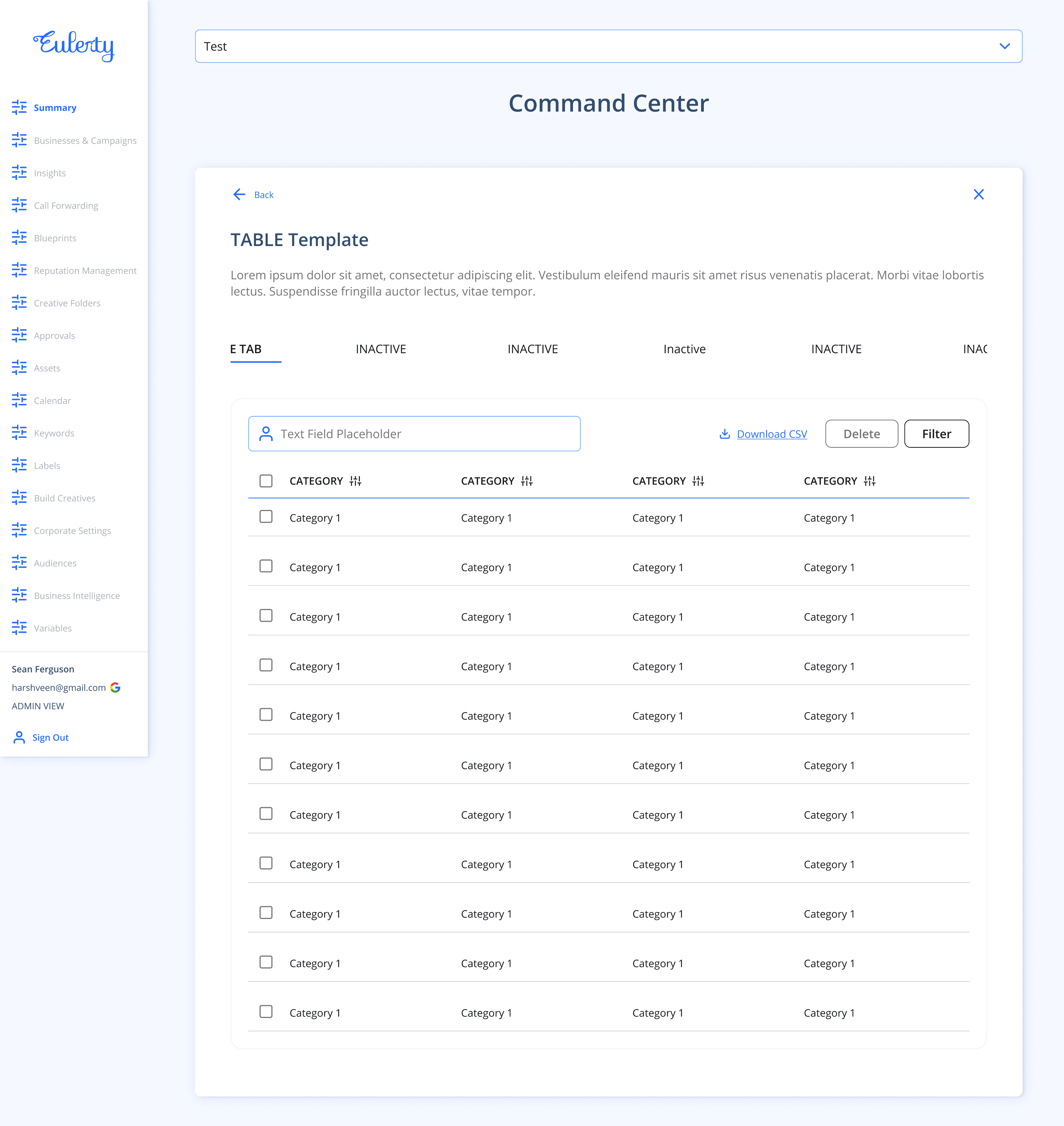
To solve this design lag and plan an efficient way to deliver feature files on Figma for every sprint, I worked closely with Nathan Santos (Product Designer) to setup dynamic templates for the product, which could be used as the base or starting point for any project. These templates are fixed layouts of key sections of the portal and linked to the UI component library which makes them dynamic - any change or improvements to the components in the UI library would reflect on the templates.
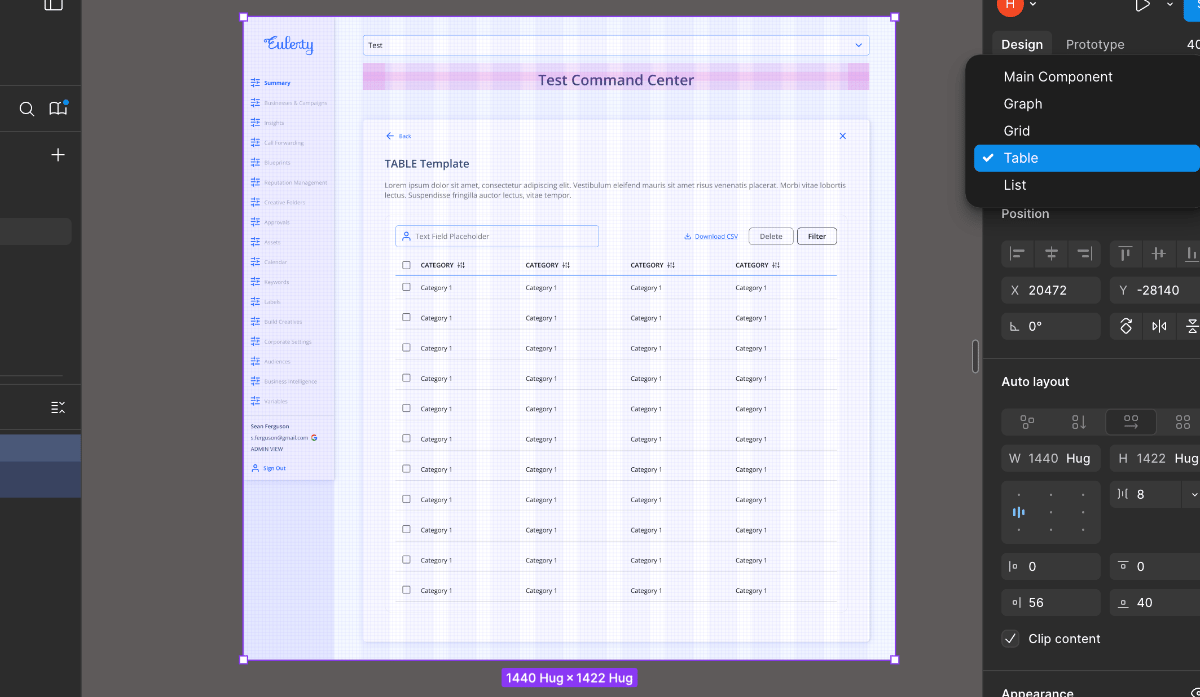
Designers could now work directly from templates, select the appropriate variant, adjust the boolean properties and nested - instances according to the ticket use case, and begin working without worrying about source files or component consistency.
This project — Introducing Templates, provides a breakdown of the process involved to arrange templates and its importance as a habit to work efficiently with design systems. I arranged these templates on Figma as an improvement for Eulerity’s design system and significantly improved the product design workflow by 50%.
Operational Efficiency
Operational efficiency is the practice of maximizing output while minimizing input (costs, time, and resources) to improve profitability and competitiveness. In this project, my goal was to reduce the human effort and time spent on redundant tasks within the product design phase of the SDLC, enabling teams to deliver higher-quality outcomes more efficiently.I structured the dynamic templates on Figma, using the existing DS components and created an change management plan based on a widely used operational excellence strategy.
In the Advanced Business Processing course at Northeastern University, Boston, I was introduced to two core frameworks (a) Lean (focused on eliminating waste) and (b) Six Sigma (focused on process optimization).
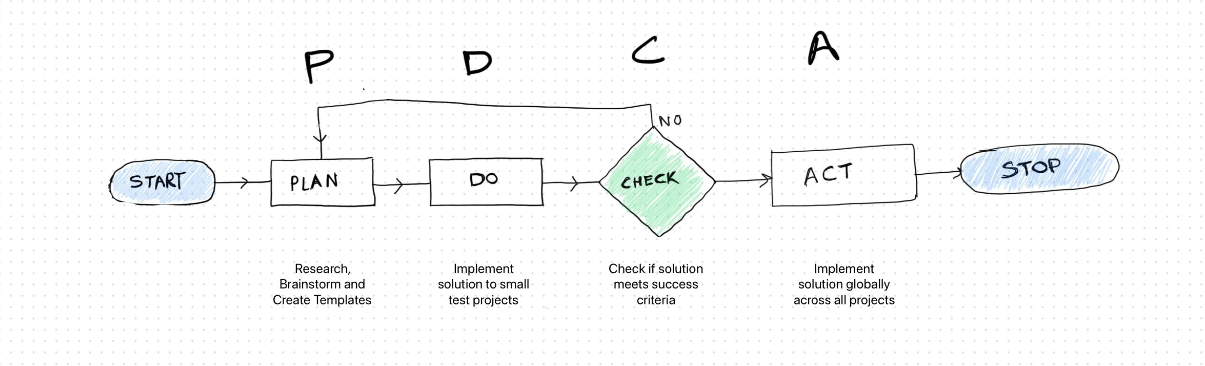
When approaching this project, I aligned my solution with Lean principles, as the goal was to enhance existing workflows without removing essential steps. To achieve this, I adopted one of Lean’s most widely used methodologies, the PDCA Cycle (Plan → Do → Check → Act) also called the Shewhart Cycle, and applied it to this project.
I also applied Brad Frost’s Atomic Design principles to structure the templates: individual atoms formed the basic building blocks, atoms combined to create molecules, and molecules were then assembled into complete templates.
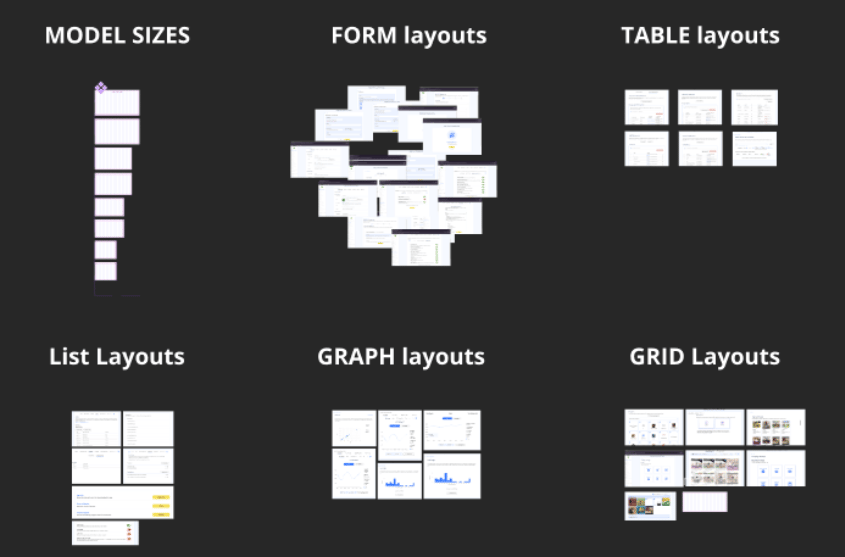
I organized molecules and created variants i.e different versions of the same molecule adapted for use across various parts of the application.MoleculesGrids, Graphs, Lists, Forms
Molecule VariantsGrid1, Grid2, Grid3, Grid4Graph1, Graph2, Graph3, Graph4List1, List2, List3, List4Form1, Form2, Form3, Form4Final TemplateCombination of Sub-templates
What are Templates?
Templates are advanced interface layouts that live within the brand’s design system in Figma.
For someone working closely in the product team for over a decade, according to me design systems are the unsung heroes of the products we use every day, from mobile applications and web portals to the interfaces on television screens and car dashboards. When we structure a Design System on Figma, one of the components we define is the “Responsive Frame”, which acts as a foundational layout container that designers use to structure interfaces across different viewports. These layouts are just the blank artboard with the correct industry standard size for web, mobile, and tablet.
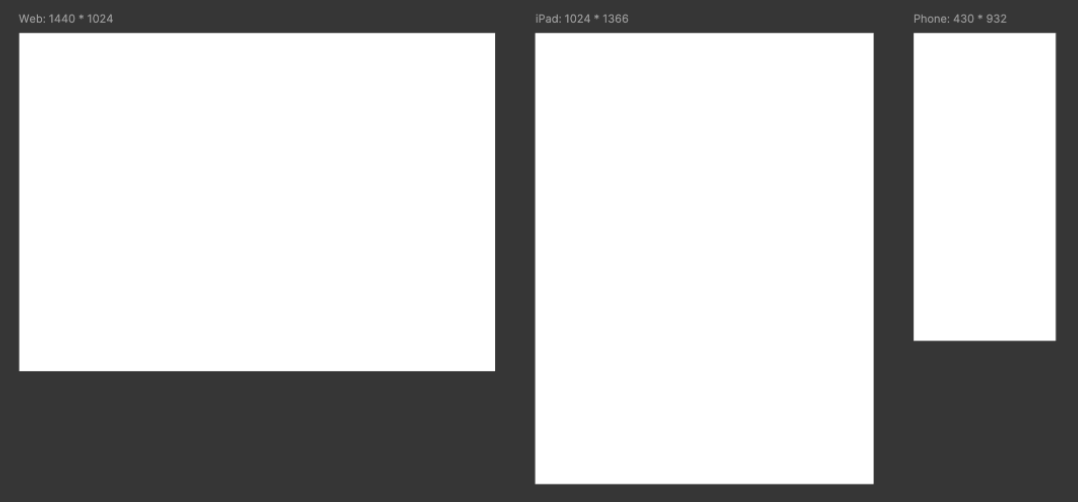
These layouts indicate which components have been developed by the dev teams and the viewports on which the QA team performs testing.
Why were Templates Required?
We created a time map (see below) to analyze how time was distributed across each phase of the product design process. By tracking the “average time required to complete design tickets”, we identified bottlenecks within the workflow.
For this, we aligned as a team and began tracking our active sprint tasks. Measuring the time spent and identifying how many phases each task required for completion.
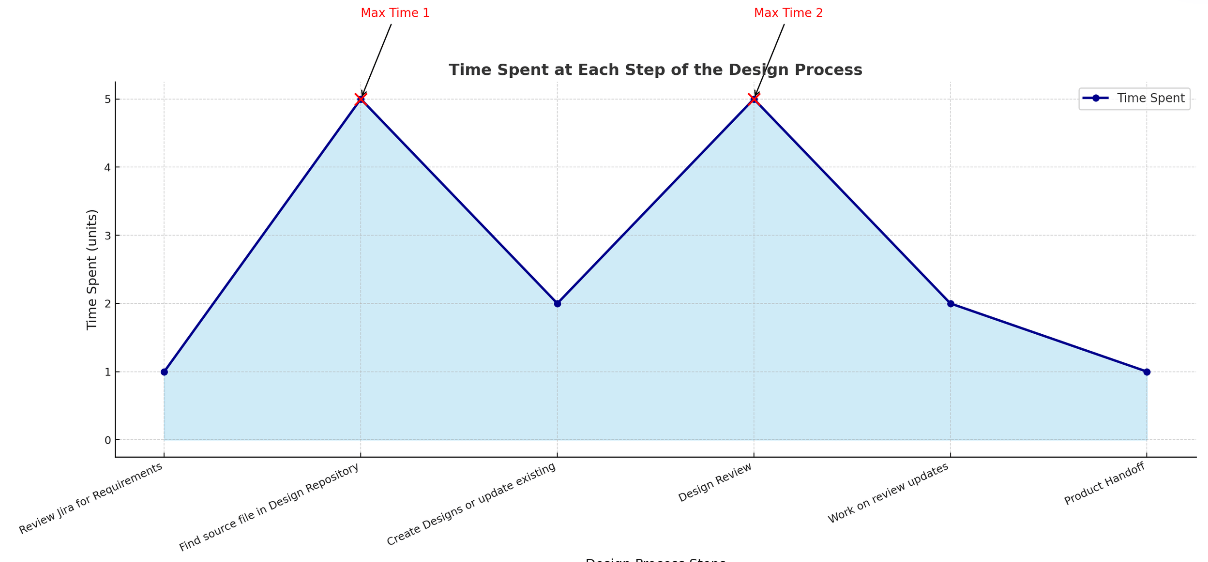
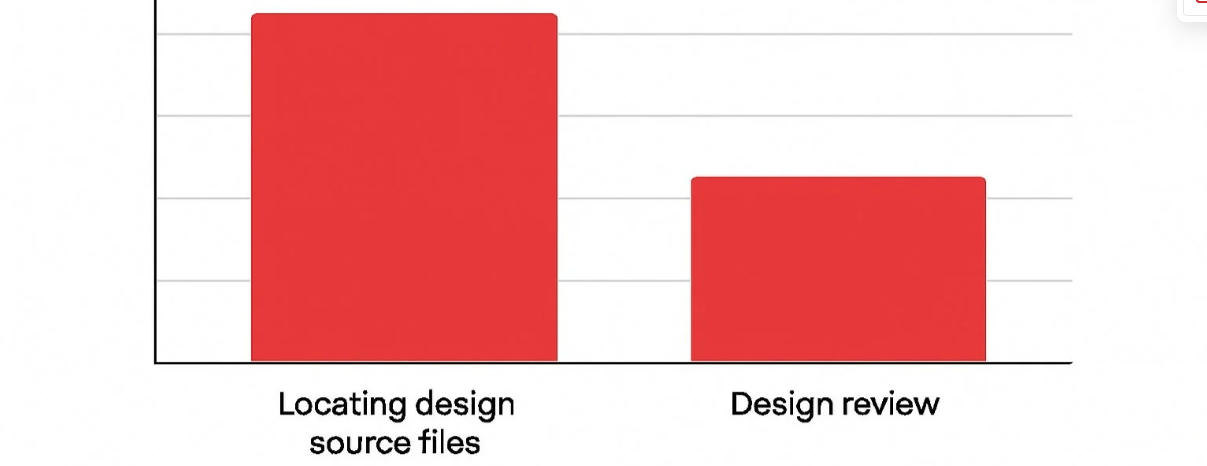
Our analysis revealed two major time-consuming phases in the product design cycle:
Locating the correct design source files
1
Designers often spent significant time searching for the latest components or reference files, leading to delays and confusion when outdated assets were accidentally reused.
Design review and feedback loops
2
Review cycles took longer than expected due to inconsistent formats and unclear version ownership, resulting in repeated back-and-forth before final approval.
Collection. Segregation.
Arrangement.
Using this process, any team, across any product, can quickly build highly scalable UI layouts using existing DS components that serve as a reliable starting point for future projects.
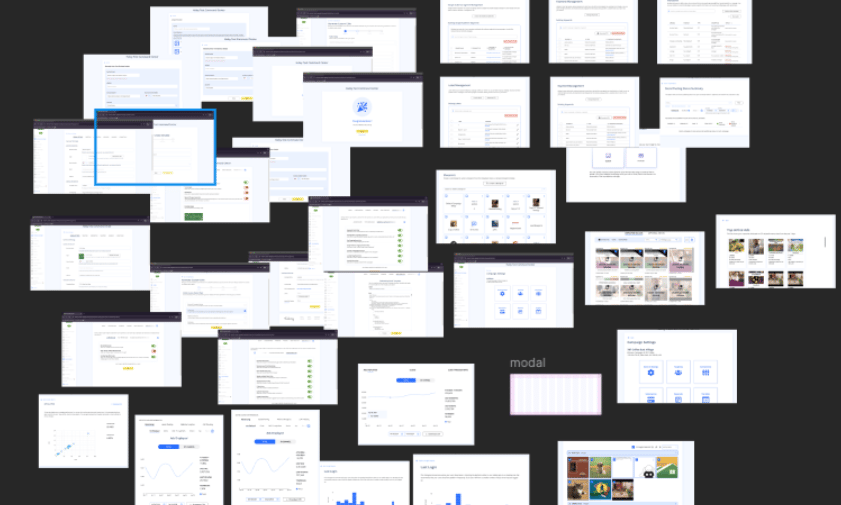
Collection
I first conducted an in-depth audit of the product’s interfaces, gathering all pages and components to identify “Recurring Patterns”.
1
Segregation
I then grouped recurring patterns to form distinct “Layout Categories”.
2
Arrangement
Each category was converted into a component, with its variations defined as variants. These were then grouped into a single master component, where each category functions as a variant. This structure now allows us to switch between nested components and their variations using simple Figma property controls, all within one unified component.
3
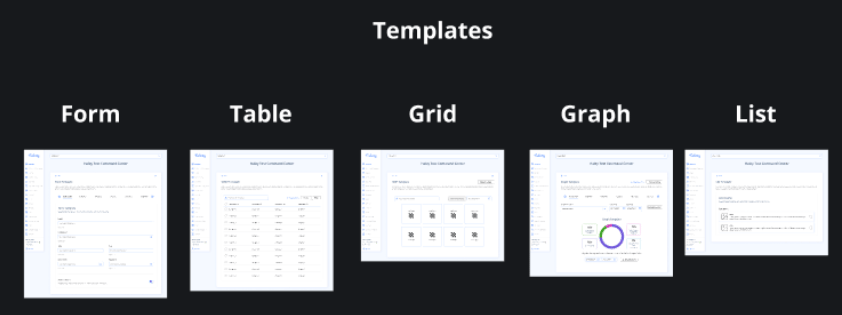
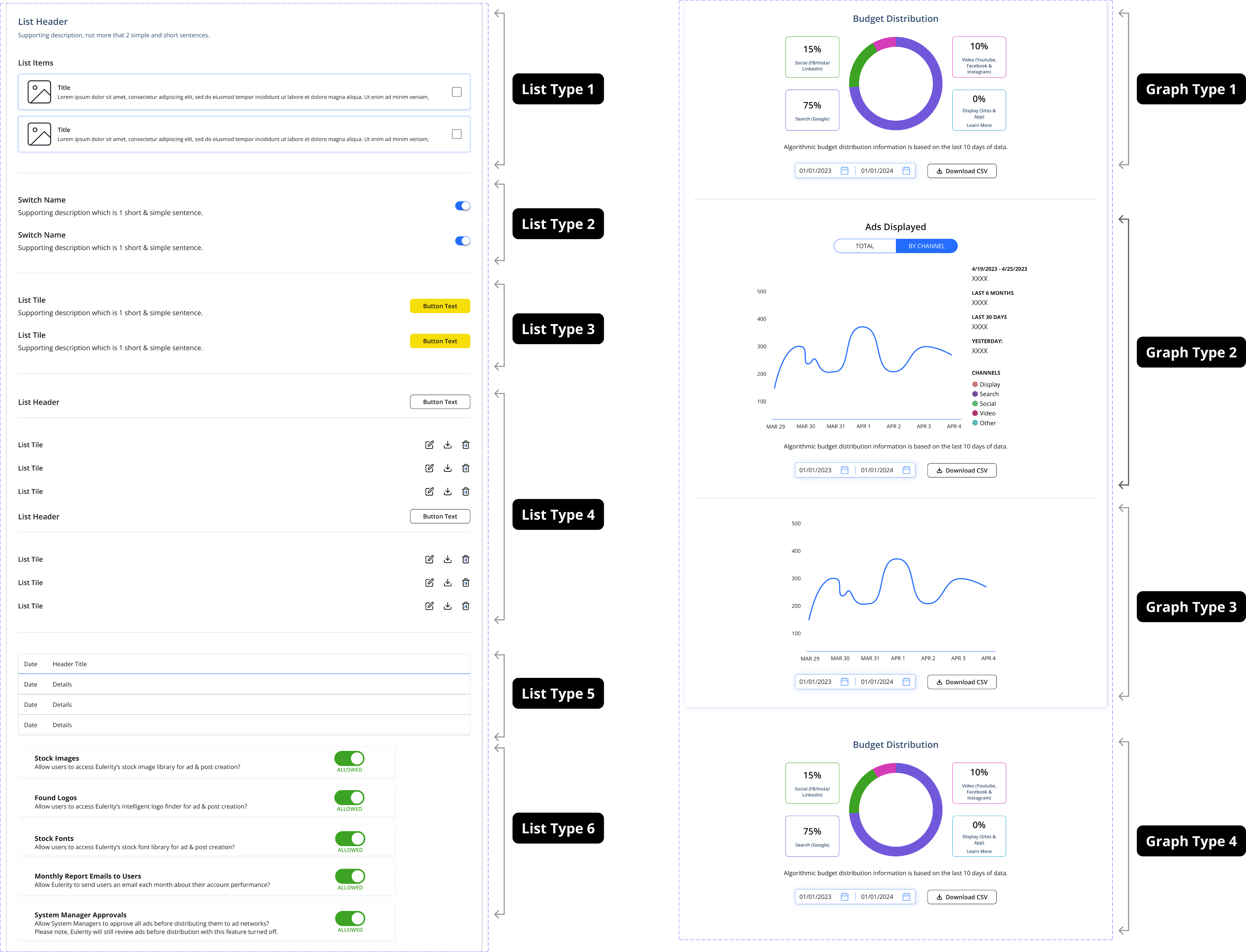
The final system comprised 40+ Figma property combinations, organized into 4 template types, each with a minimum of 4 variants and granular micro-property switches within each variant.
The final template is a single, versatile UI layout, fixed structural elements like navigation and headers anchor the frame, while one unified master component houses all nested modules: tables, lists, graphs, and grids, each with their own switchable variants. One template. Every major layout use case. No source file hunting required.
Testing
After implementing the new templates, I tested them within the team on small projects and gathered feedback from design leads. Using these templates in my own projects reduced my project completion time by nearly 50%, streamlining the workflow and boosting productivity.
Design System
+
Templates
=
- 50% Faster Design Handoff
- Reduced Designer Dependency at Project Initiation.
- Streamlined & Scalable Design Reviews
Recommendations
Maya, Sr Product Design
Kalsi stands out for their strong visual skills, self-direction, and ability to quickly understand complex systems. I had the pleasure of being their design manager at Eulerity for seven months, and from day one, Kalsi engaged enthusiastically, asking insightful questions and rapidly building a solid grasp of our platform.
One project I was particularly impressed with was their intern project, where Kalsi collaborated with another intern to design robust, reusable templates for our design system—templates we still rely on today. Kalsi’s excellent grasp of information architecture and visual design made them someone I could count on for core features, and I know they would bring the same dedication and energy to any team!
Kalsi stands out for their strong visual skills, self-direction, and ability to quickly understand complex systems. I had the pleasure of being their design manager at Eulerity for seven months, and from day one, Kalsi engaged enthusiastically, asking insightful questions and rapidly building a solid grasp of our platform. One project I was particularly impressed with was their intern project, where Kalsi collaborated with another intern to design robust, reusable templates for our design system—templates we still rely on today. Kalsi’s excellent grasp of information architecture and visual design made them someone I could count on for core features, and I know they would bring the same dedication and energy to any team!
Margarita Zulue, Sr Product Design
During Kalsi's time at Eulerity, I worked with him in their role as a Product Designer as part of their CO-OP. While working together, I quickly noticed his methodical way of approaching design work, with great documentation and analytical skills present off the jump from the interview process to his time working with us. I was also impressed by his commitment to understanding product design as a practice and seeking ways to improve his knowledge base and providing new avenues for education in that way to our team. Kalsi brought key questions and insights that helped the team grow and the work is still is used as a reference to improve our processes today.
Nathan Santos, Product Design
Harshveen brought a strong design sensibility to every task, whether it was developing user-friendly interfaces or refining design elements for a more cohesive and standardized user experience. His ability to think critically about product challenges and offer thoughtful, made him a great teammate to work with. What I particularly admired was his proactive approach to design problems—he not only completed tasks efficiently but also contributed innovative ideas that helped elevate the quality of our work.
Overall, Harshveen is a great communicator and collaborator. He always sought feedback and incorporated it very well, and was always willing to lend a hand in our team workflows. His positive attitude and enthusiasm for design made him a joy to work with, and I have no doubt he'll continue to excel in his career.